
JuDress — A Free Tool That Converts Japanese Addresses into English
Sometimes you need to write a Japanese address in English: registering a shipping address on an overseas shopping site, sending international mail, or listing your office on an English business card or the English page of your website. The order is reversed, and it is easy to get stuck on words like 丁目 (chome) or 区 (ku).
JuDress is a free web tool for exactly these moments. In January 2019, THEVOS featured it as a "convenient service" on LinkBoard, the link collection on our former website. Seven years later the service is still running, and a redesign on February 16, 2026 made it even easier to use. This post updates our original introduction based on the current version.
1. What is JuDress?
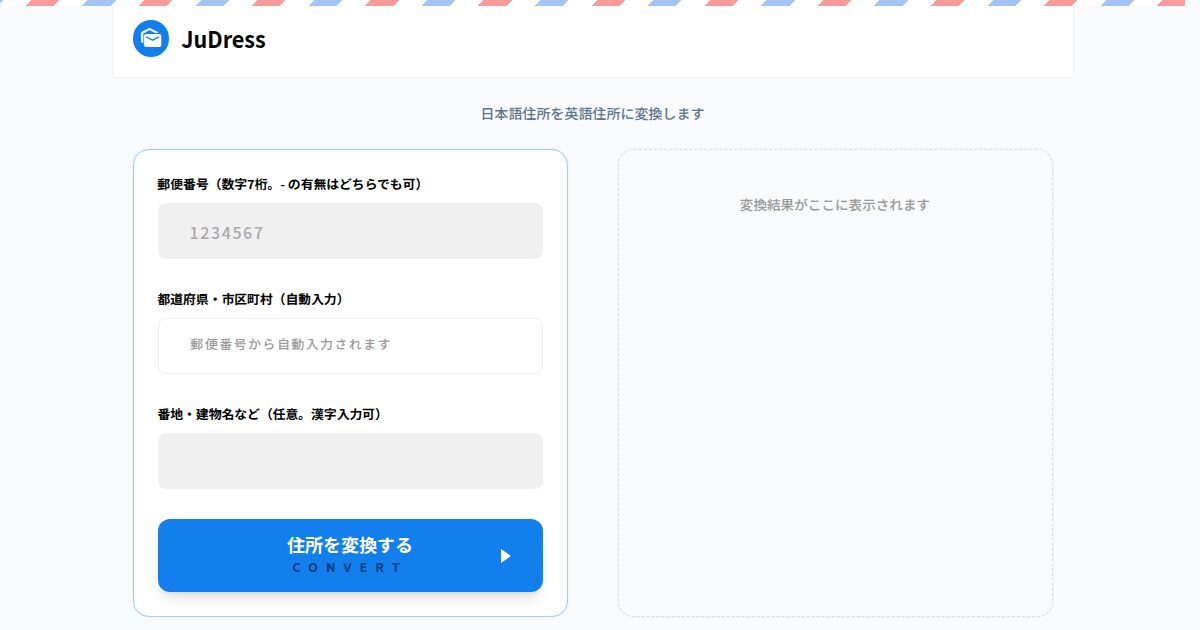
JuDress converts Japanese addresses into English notation. Enter a postal code and the prefecture and city fill in automatically; add the street number and building name, convert, and the English address appears. You can type the street number and building name in kanji. It is free and needs no sign-up. It was created by foka (tsukuenoue.com), and the site itself is in Japanese.
2. How to use it
- Enter the postal code: Type the 7 digits, with or without a hyphen. The prefecture and city fill in automatically.
- Enter the street number and building name: You can type it in kanji, such as 1丁目1番2号. This field is optional.
- Click 住所を変換する (Convert): The English address appears on the right, and the コピーする (Copy) button copies it in one go.
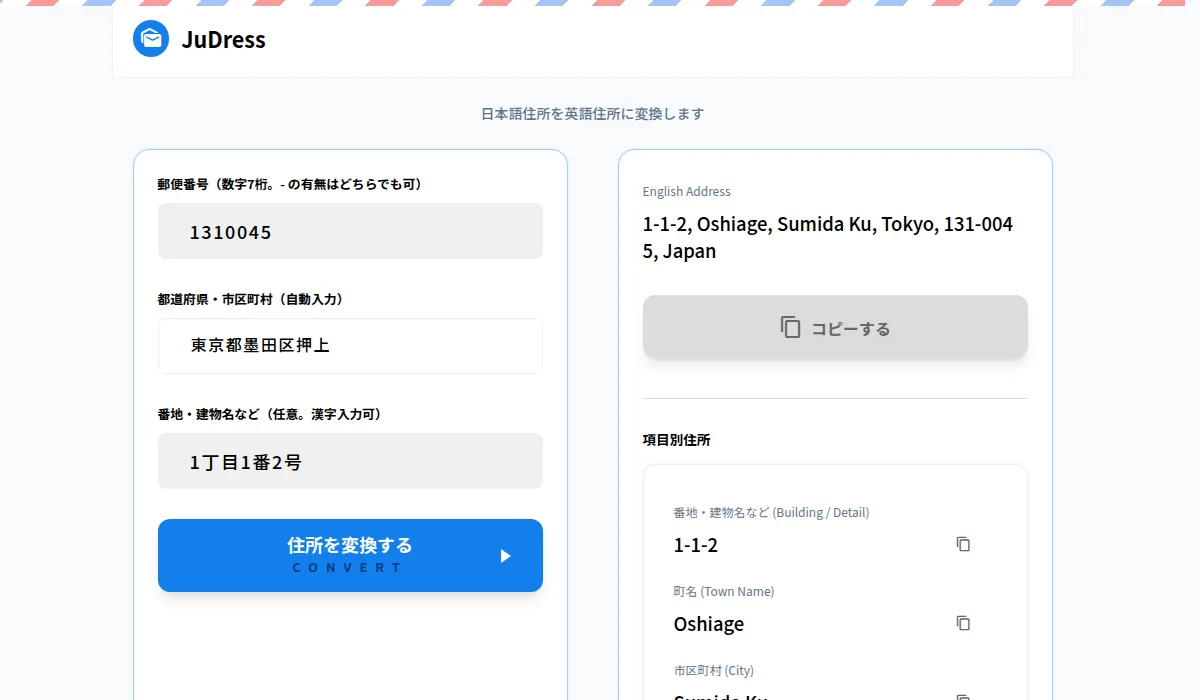
Below the result, JuDress also shows the address by field: Building / Detail, Town Name, City, Prefecture, Postcode and Country, each with its own copy button. This is especially handy for forms that split the address across several boxes, like those on overseas shopping sites.
3. Basic rules for writing a Japanese address in English
The JuDress page also includes a guide to writing English addresses. Here are the key points.
- Reverse the order: Japanese goes from the largest area to the smallest; English starts with the smallest. The order is room number and building → street number and chome → town → city → prefecture → postal code → Japan.
- Keep ku, shi, cho and mura as they are: Add them after the romanized name instead of translating them, so 渋谷区 becomes Shibuya Ku and 大阪市 becomes Osaka Shi. Hyphenated forms like "Shibuya-ku" are also common, but JuDress follows Japan Post's official romanization data and uses a space.
- Drop to, do, fu and ken: 東京都 becomes Tokyo and 神奈川県 becomes Kanagawa. Hokkaido is the exception: without "do" it is no longer a place name, so it stays Hokkaido.
- Join chome, banchi and go with hyphens: 1丁目2番3号 becomes 1-2-3. JuDress converts kanji numerals (一, 二, 三…) to Arabic numerals automatically.
- Put the room number before the building name: 101号室 becomes #101 and 3階 becomes 3F, so グランドヒルズ渋谷 301号室 becomes #301 Grand Hills Shibuya.
4. When it comes in handy
- Shipping addresses on overseas shopping sites (Amazon, eBay, etc.): Address Line 1 takes the street number, chome and town; Address Line 2 the building name and room number; City the city; State / Province the prefecture; Postal Code the postal code (e.g. 131-0045); and Country, Japan.
- International mail and shipping: Write the country name in capitals, JAPAN, on the last line of the envelope or shipping label.
- English business cards and documents: If there is a company name, put it before the street number and chome.
- The English page of your website: It is also a good reference when listing your office address in a company profile or English contact details.
5. Before you use it
- JuDress does not guarantee its results. The site asks you to check that the result is correct and to use it as a reference. For important documents, please double-check.
- According to the site, the address you enter is not sent to any third-party service, is not stored on the server, and is discarded once the conversion finishes.
6. The screen we featured in 2019
Our 2019 LinkBoard post included the screenshot below. Back then, you searched for the address by postal code and then chose between 実用的に変換 (practical conversion) and Stylishに変換 (stylish conversion), with a note that the stylish version was not meant for practical use. Today's version is simplified to a single convert button plus per-field copying.
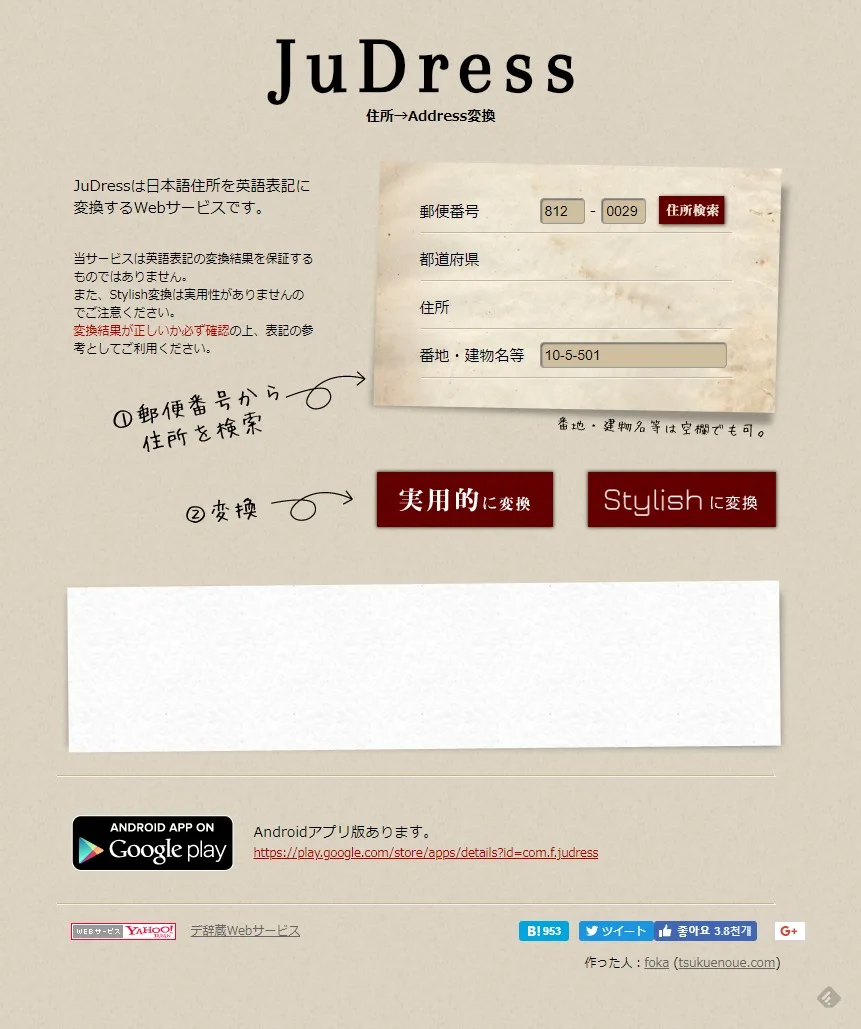
If you visit the old LinkBoard address (thevos.jp/LinkBoard/14887), you will be taken to this post.
※ This post updates an introduction we published on THEVOS LinkBoard on January 28, 2019, based on the service as of September 15, 2026. JuDress is not operated by THEVOS, and its screens and features may change. The current screenshots were taken on September 15, 2026.


Comments (0)
No comments yet. Be the first to comment.